Transform SketchUp Models into Photorealistic Architectural Images and Videos
Rendaaa is an architectural AI platform helping designers generate realistic renders and walkthrough videos in minutes.
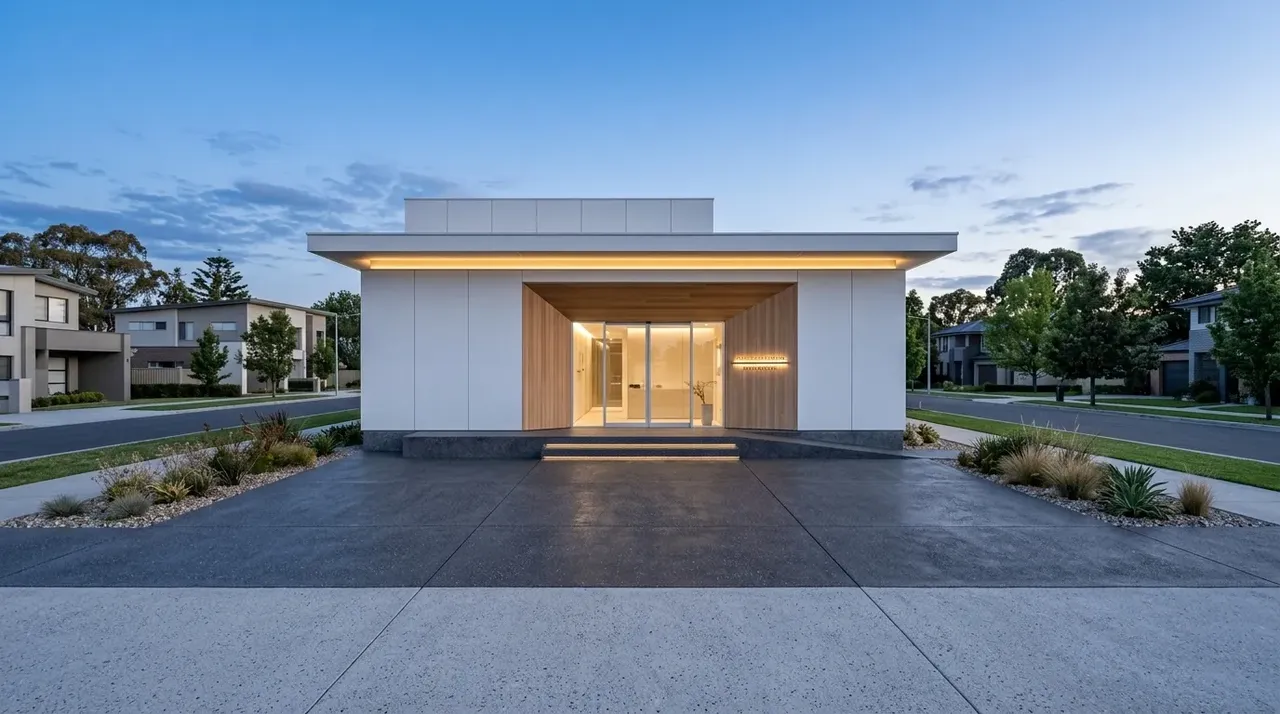
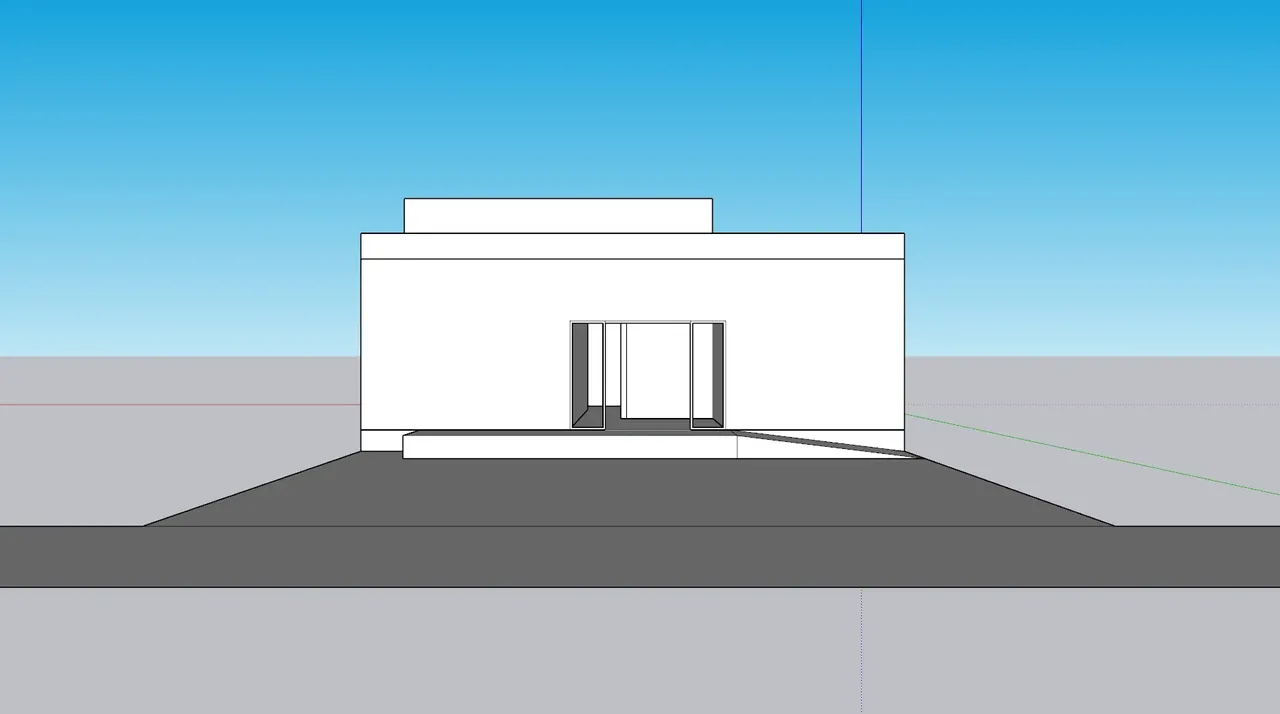
What is Rendaaa?
Rendaaa is a cloud-based architectural visualization platform. Users upload SketchUp models or architectural concept images and generate photorealistic architectural renders and videos using AI.
The platform is designed for architects, interior designers, and property developers who need faster visualization workflows without complex rendering software, extensive training, or expensive hardware.
Google Integration & Data Usage
To provide a seamless experience, we use secure Google Sign-In to authenticate users and manage access to our rendering cluster.
When you log in with Google, Rendaaa requests access to your email address and basic profile information (name). We use this information solely to verify your identity, manage your rendering credit balances, and keep your design projects secure. We never request sensitive scopes, sell your data, or use your uploaded content to train AI models.
For more details, please review our Privacy Policy and Terms of Service.
Generate Architectural Visualizations in Minutes
A streamlined, web-native workflow engineered to bypass local machine constraints.
Upload Model
Upload rough SketchUp models, massing studies, or volumetric concepts.
Preferences
Choose custom lighting, weather settings, and architectural styles.
Render Image
Generate photorealistic static drafts in resolution in minutes.
Generate Video
Animate final static designs into fluid camera path walkthroughs.
Share & Present
Download high-resolution assets ready for approvals or client pitches.
From Concept to Visualization
Interact with real visual outputs showing the transformation of SketchUp viewport designs into photorealistic renders.
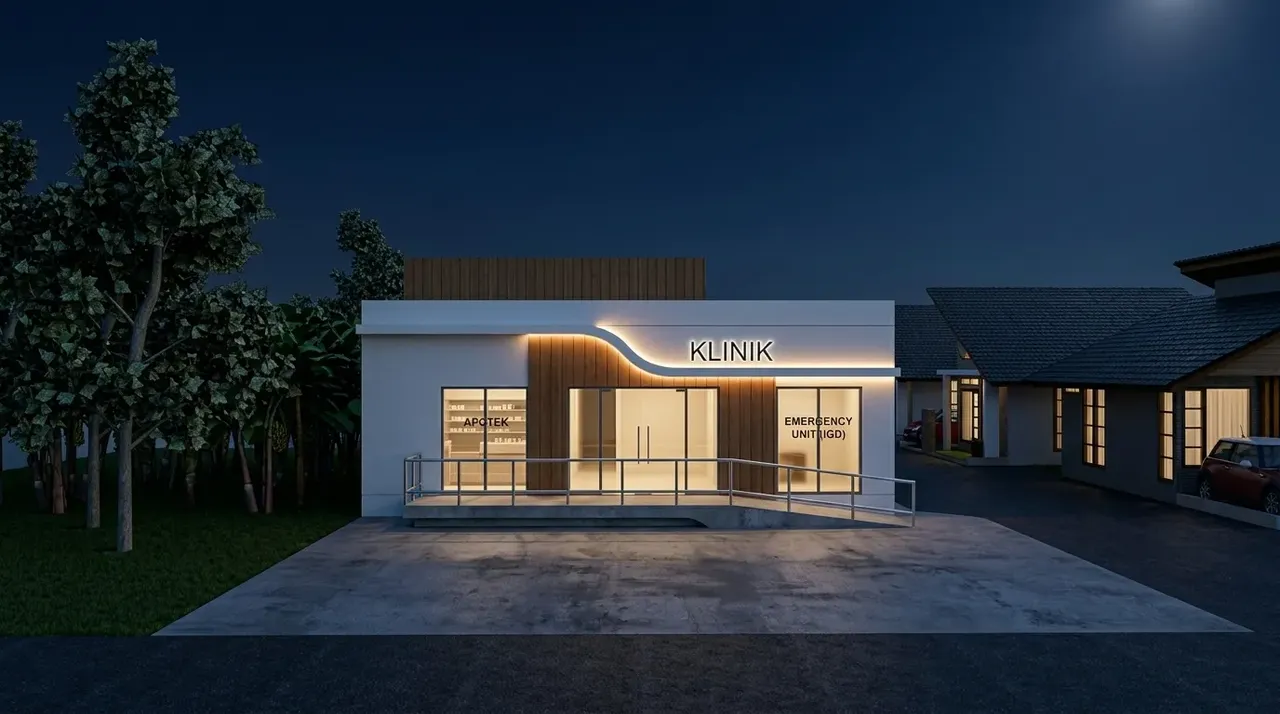
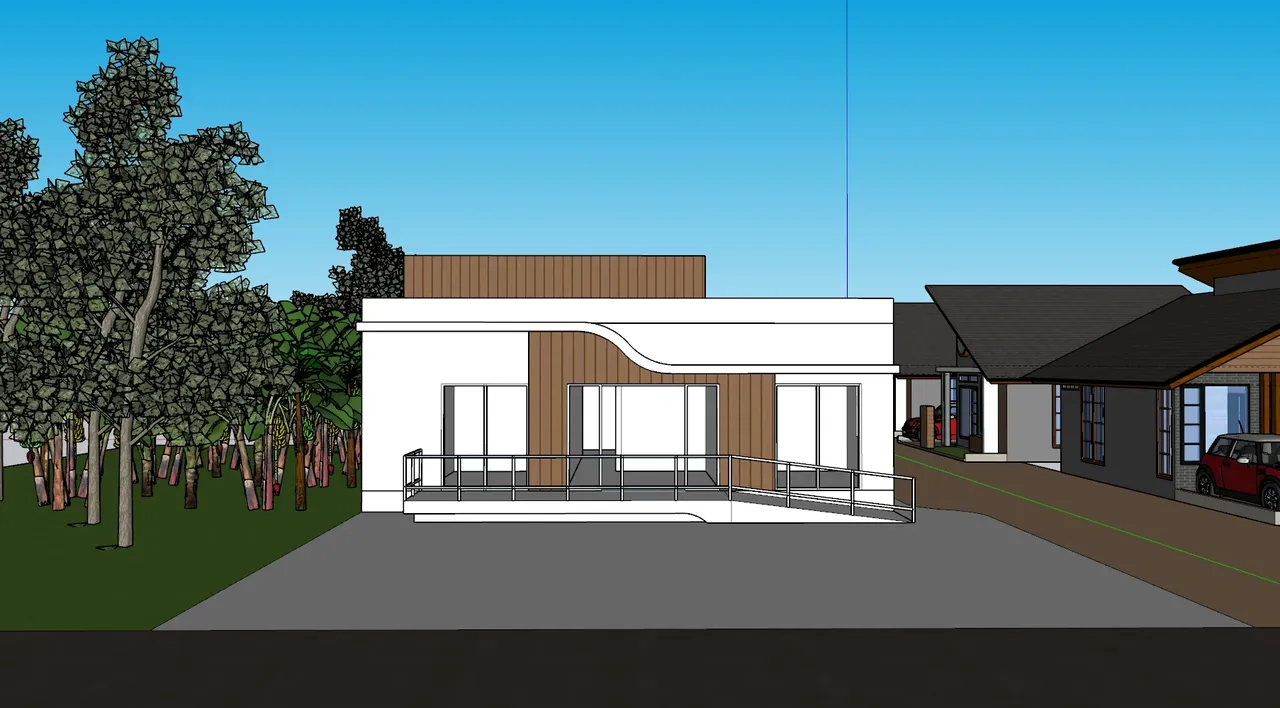
Modern Houses
Refine cantilever beams, wood slats, and glazing details during design development.
Not Just Rendering. Design Iteration.
Most architects do not stop after the first render. They render, improve the design, and render again. Rendaaa accelerates this entire cycle, allowing more ideas to be explored before final decisions are made.
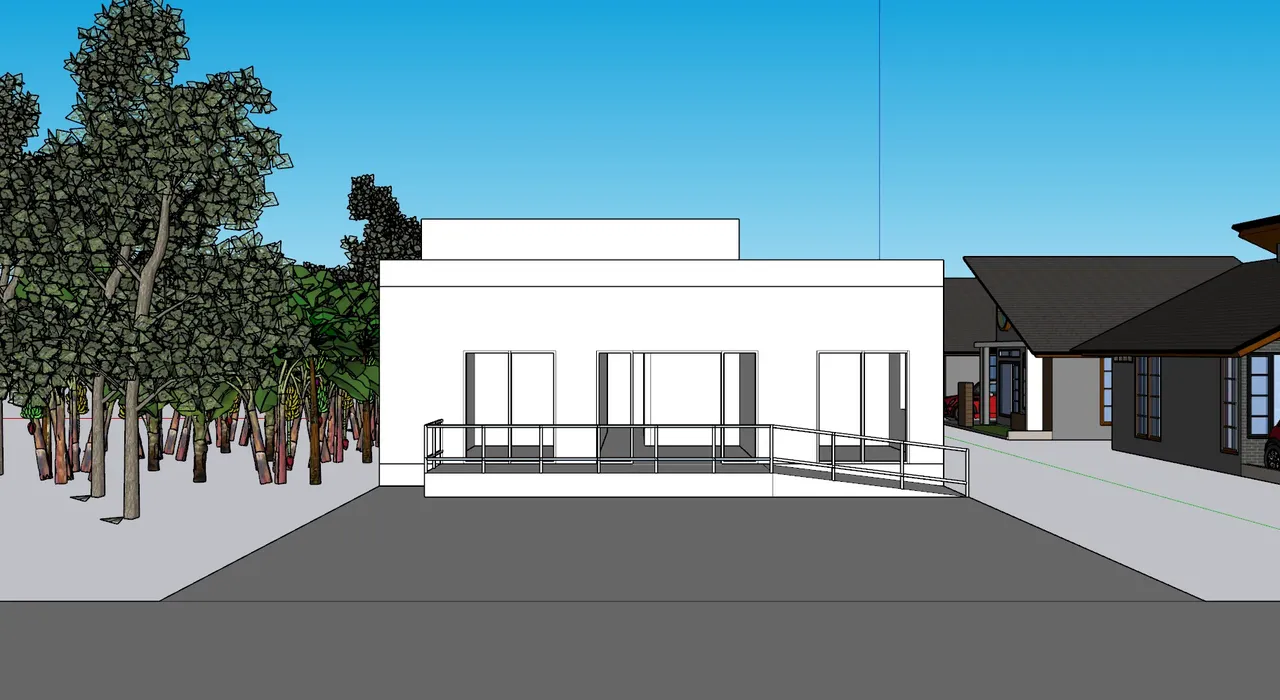
SketchUp Massing (V1)
Start with a raw volumetric CAD study. No materials, environmental lights, or detailed layers required.
First AI Visualization
Translate volumes to physical context to evaluate shadows, mass alignments, and scale immediately.
CAD Adjustment (V2)
Refine window subdivisions, cantilevers, and structural elements in SketchUp based on the render.
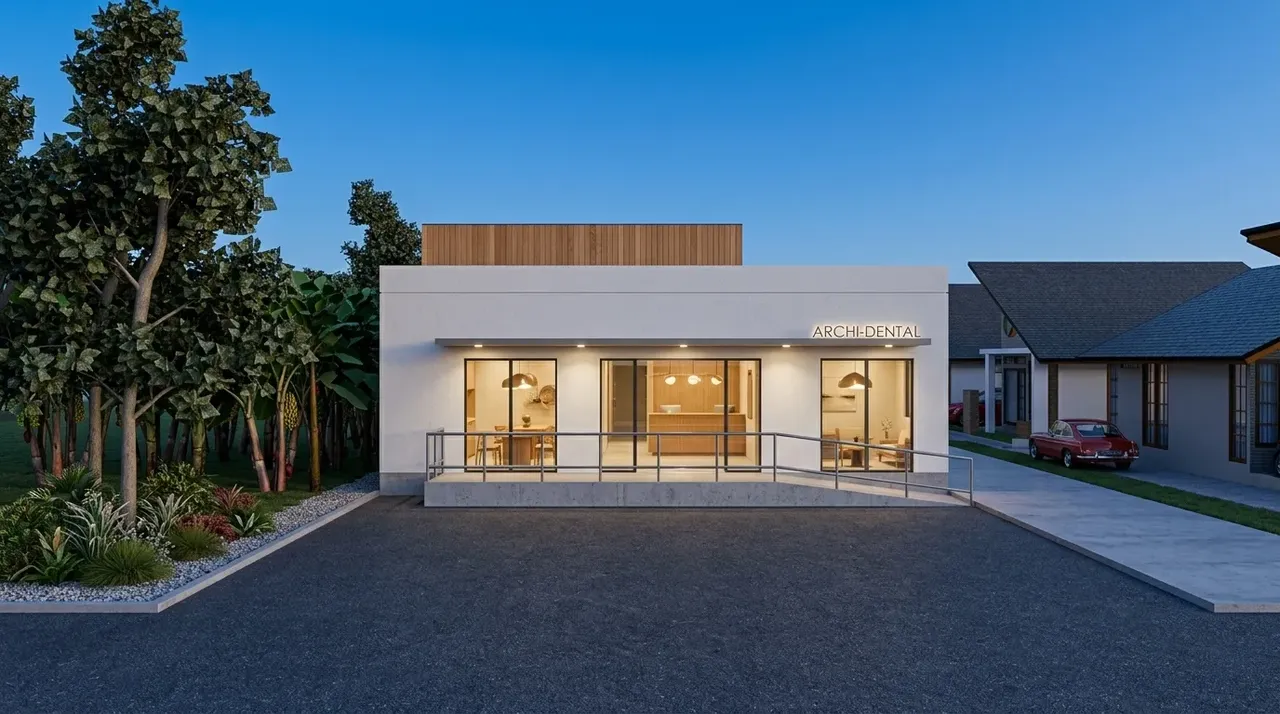
Iterative Visualization
Update the render to accurately verify the new mullion offsets and wood slat alignments.
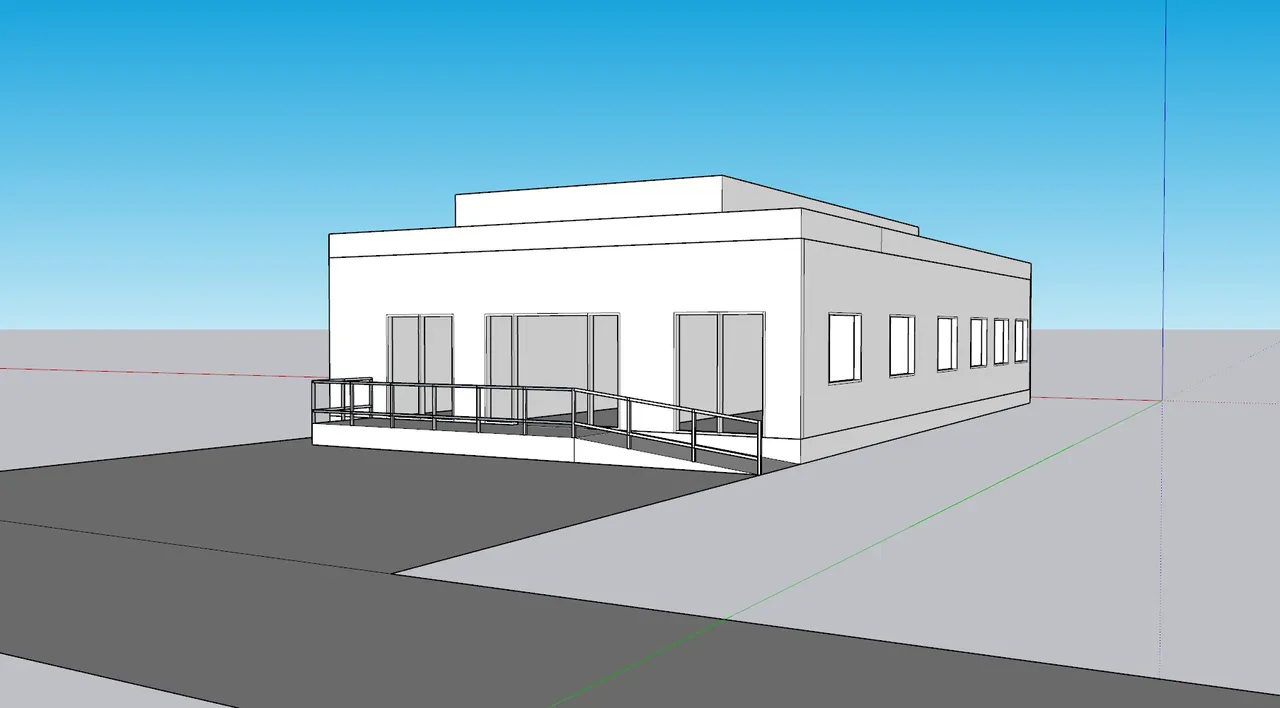
Final Detailing (V3)
Complete the CAD model with landscaping layers, terrain conditions, and site architecture.
Photorealistic Presentation Render
Generate high-fidelity, presentation-ready architectural imagery with realistic materials and depth.
Create Architectural Videos from Your Designs
Generate cinematic architectural videos directly from rendered images. Use walkthrough videos to enhance client presentations, property promotions, and design portfolio showcases.
Engineered for Modern Practice
Eliminate technical overhead. Put focus back on form, spatial composition, and material choice.
No Rendering Expertise Required
Generate professional results without learning complex rendering software, UV maps, or camera settings.
Fast Turnaround
Generate architectural visualizations in minutes instead of waiting hours for local CPU/GPU renders.
Works With Rough Models
Visualize ideas at early concept stages. You do not need highly detailed props or models to explore spatial direction.
100% Cloud-Based
Run everything in our cloud GPU cluster. No high-end workstation, thermal throttling, or expensive hardware required.
Design Iteration Friendly
Generate visualizations, inspect proportions, adjust CAD layouts, and generate again to refine design fluidly.
Unified Image & Video Output
Produce static presentation-ready renders and cinematic walkthrough videos from a single unified workflow.
Built for Professional Scale
Visualizing designs across scales, architectural programs, and project timelines.
Residential Architecture
Iterate house designs and massing studies in minutes.
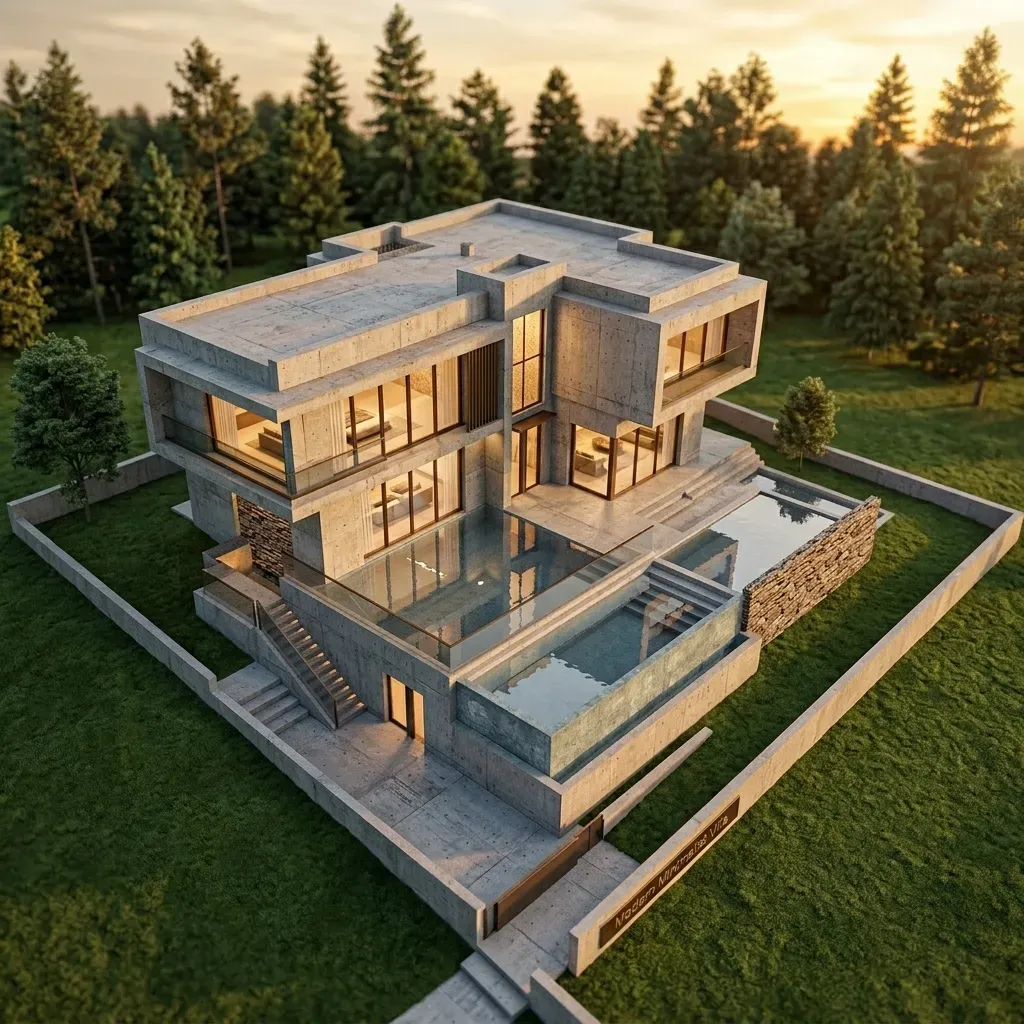
Luxury Villas
Generate premium client visualization assets.
Interior Design
Explore material options and lighting in context.
Property Development
Create investor pitches and marketing materials early.
Architecture Studios
Accelerate client design approval workflows.
Trusted by Designers Worldwide
Leading practices and visualization teams offload rendering bottlenecks to Rendaaa to design fluidly.
"Rendaaa completely changed how we pitch. We can show clients three design options in our first meeting instead of just one."
"Exploring massing alternatives in SketchUp and seeing them rendered in minutes has saved us days of revisions on our latest project."
"No complex settings or shader configurations. I just upload my rough model and get a stunning result to guide my next design step."
Explore More Ways to Use Rendaaa
Discover tailored architectural rendering workflows, features, and alternative options.
SketchUp Rendering
Transform raw SketchUp viewports and models into photorealistic designs instantly.
AI Architectural Rendering
Leverage state-of-the-art AI to generate complex exterior and interior concepts.
SketchUp to Video
Animate models and scenes into fluid cinematic architectural walkthroughs.
V-Ray Alternative
Speed up your render queue without complex settings or hardware limitations.
Pay As You Render
Skip recurring monthly subscriptions. Buy credits when your project requires them.
Questions
No. Upload your model and generate results in minutes. Our engine handles material interpretation, lighting setups, and environment maps automatically.
No. All rendering computations are offloaded to our high-performance GPU cloud. You can generate 4K visuals from a basic laptop or tablet.
Yes. Rendaaa supports fluid, cinematic architectural video generation directly from your rendered images.
Yes. Even early-stage massing concepts and untextured models can be transformed into highly realistic visualizations, helping you explore ideas earlier.
Yes. Many users generate visualizations, discover design improvements, update their CAD models, and render again multiple times during the design process.
No. Rendaaa is a visualization accelerator. It helps you see your ideas faster so you can make informed decisions. Architects remain entirely in control of the design.
SketchUp viewport exports, concept screenshots, drawings, and generic architectural reference images.
We use secure Google OAuth for authentication. When you sign in, we only retrieve your name and email address to verify your identity and manage your credit balance. We do not sell your data, share it with third parties, or use your uploaded models and renders to train AI models.